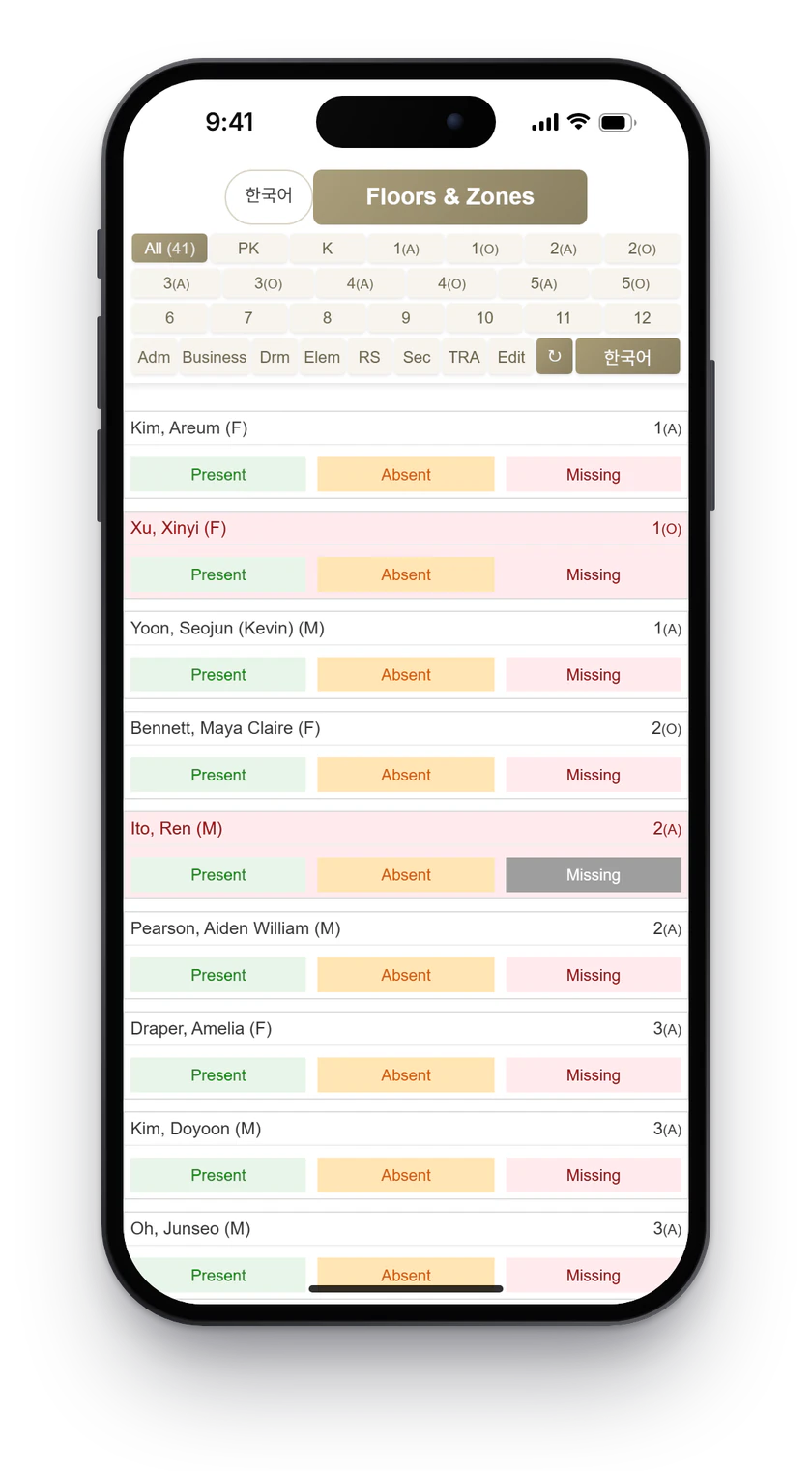
3statuses: present, absent, missing
19grade and section filters
2languages, English and Korean
Overview
During a drill or a real evacuation, staff need one answer fast: is every student accounted for? The EMS app gives each responder the list for their floor, zone, grade, or division, with one tap to mark each student.
Rosters come from the school information system, so the list on screen matches the students actually enrolled that day.
What it does
- Floors and zones view for responders
- Filters for every grade and section, from pre-K to grade 12
- Division filters for administration, business, dormitory, elementary, secondary, and more
- Present, absent, and missing marking for each student
- English and Korean at the press of a button
- Rosters refreshed from the school information system
Built with
Google Apps Script · Google Sheets · PowerSchool data